Concept
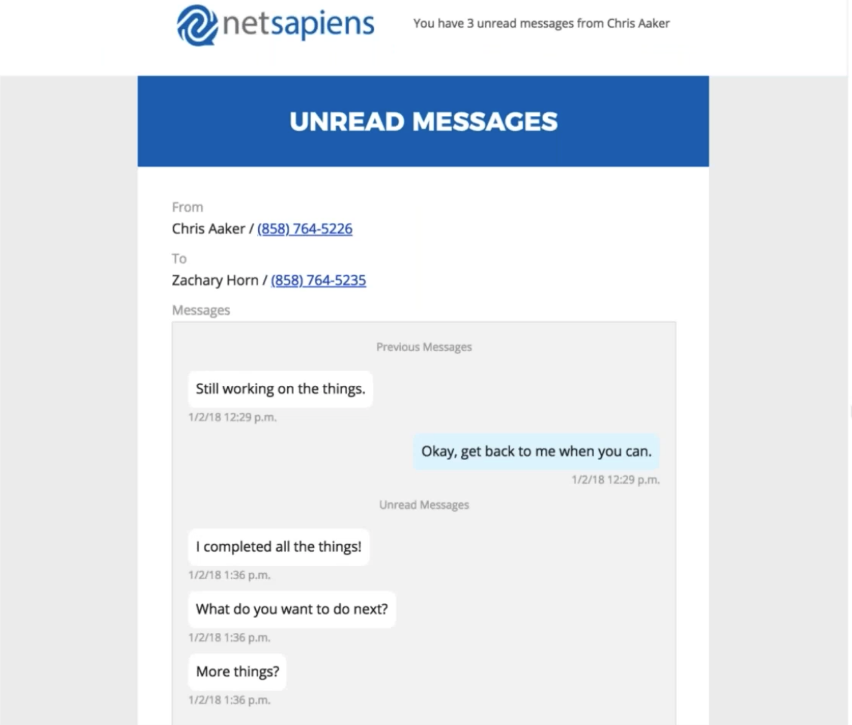
After a user sends another user a message through the portal or a user receives an SMS; if that message remains unread for five minutes then an email is sent out to the receiving user's email with a transcript of the previous ten messages in the conversation. After this email is sent out there will not be another email unless the original sender sends another message after the email went out.
Rules
- This feature function is due to a cronjob in the API that runs every minute and checks for any unread messages to all users who need to be notified.
- This setting is automatically enabled for any user with a valid email address that is enabled for chat or SMS. If the notifications are not desired then the UI Configuration parameter EMAIL_UNREAD_MESSAGES must be set to a value of no at the appropriate level; that is, scope, domain, or user.
-
EMAIL_UNREAD_MESSAGES=Yes - This will send notifications for SMS to email
- EMAIL_UNREAD_MESSAGES=No or The parameter not being configured on the domain the feature is disabled
Procedure
- There is a per-minute cronjob that will automatically initiate this alert for any users with unread messages needing notification.
- For branding of the email there is a new PHP template within the Images (Advanced > System > Settings > Images) in the Admin UI of the Core Module named email_unread_messages.php
- An example of this emails is shown below.